

Last Updated on 2 months ago by Arun Kumar
Cloud hosting is catching the attention of businesses that want to grow fast and stay flexible. Whether you’re running an e-commerce website, launching a startup, or managing enterprise-level apps, companies count on cloud hosting prices in India to keep websites, applications, databases, and digital services running smoothly.
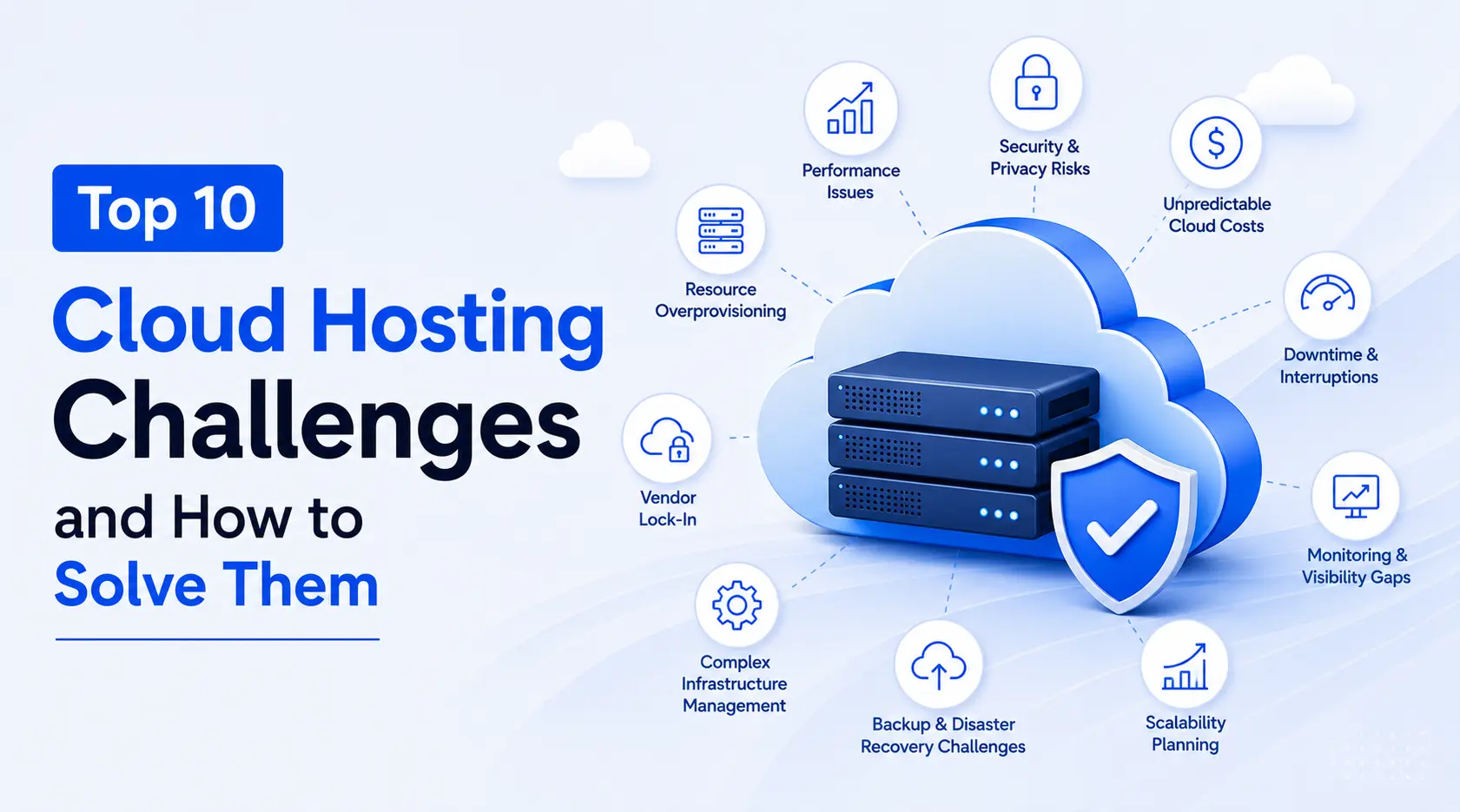
Sure, cloud hosting comes with some big advantages compared to conventional hosting. But it’s not all smooth experience. You’ve got to tackle performance glitches, deal with security risks, watch costs, and make sure resources aren’t wasted. These issues need real attention if you want everything to work seamlessly. This article covers the usual challenges organizations face with cloud hosting and offers practical solutions like using Cloudflare hosting server you can implement.
ALSO READ: Hostinger Review 2026: Is It Worth It for Your Website?
Cloud Success Depends on Visibility
One major advantage of cloud hosting is the amount of operational data it generates. Metrics regarding CPU usage, memory consumption, storage, network traffic, and applications provide valuable insights to infrastructural health.
Businesses actively track metrics to spot issues before users become affected. Increased visibility facilitates faster troubleshooting, informed decision-making and capacity planning–making monitoring an integral component of cloud management.
1. Unpredictable Cloud Costs
Variable pricing is one of the major expenses of cloud hosting environments. Pay-as-you-use models eat away at more computing resources, storage capacity and bandwidth use as more computing services and bandwidth consume more of monthly billing expenses – leading to unpredictability in monthly billing costs.
How to solve:
Track resource use proactively, remove unused instances and set spending alerts as you adjust pricing plans that best match workload requirements; monitoring expenses can significantly lower operational costs.
2. Performance Bottlenecks during Traffic Spikes
Unexpected traffic surges can quickly exhaust server resources if left unmanaged, forcing websites to turn away visitors, leading to reduced performance levels.
How to solve:
Utilise auto-scaling features, load balancers, caching mechanisms and CDNs (Content Delivery Networks). Doing this ensures even traffic distribution and consistent performance over time without risk to data security or privacy risks.
3. Data Security and Privacy Risks
Cloud servers typically contain critical business data, customer information, and other confidential data. Cloud providers have some built-in security options, but businesses still have to ensure that their data is secure. An outdated software, weak password or improper access control can leave gaps for cybercriminals.
How to solve it:
Increase security by using Multi-Factor Authentication (MFA), encrypting data in transit and while in storage, regularly updating applications, and only providing access to systems to authorized users.
4. No Downtime and Service Interruptions
All cloud platforms have their share of downtime. Your applications and website may be temporarily unavailable due to a hardware malfunction, software bug, maintenance or regional disruption. Without a backup strategy, even a short interruption can impact business operations.
How to solve it:
Distribute workloads across multiple regions where possible, configure automated backups and have a disaster recovery plan in place to speed up recovery in the event of an outage.
5. Resource Overprovisioning
A lot of businesses will give more memory and processing power to their server just in case they want to prevent performance problems. This may help to increase the stability but also raises monthly cloud costs for no apparent gain.
How to solve it:
Monitor resource consumption and scale out virtual machines/container resources as needed. The right-sizing of infrastructure reduces the costs needlessly, but still keeps the performance consistent.
6. Vendor Lock-In
If you use only one cloud vendor, you will find it challenging to migrate to another in the future. Moving an application, data and workload to another location can be costly, time consuming and very technical.
How to solve it:
Wherever possible, use portable technologies like containers, Kubernetes and open source solutions. Standardizing deployment practices also make future migrations much easier.
7. Complex Infrastructure Management
Virtual machines, storage, networking, security policies, and applications are more challenging to manage as your cloud environment expands. Even minor configuration errors can cause bigger problems if not managed properly.
How to solve it:
Use Infrastructure as Code (IaC), automation solutions, centralized monitoring, and configuration management solutions to simplify administration. They help you automate manual tasks and keep your infrastructure uniform.
8. Backup and Disaster Recovery Challenges
People think that moving to the cloud means they’ll have better protection for their data. However, without backups, accidental deletion, ransomware attacks, or configuration errors can still lead to permanent loss of the data.
How to solve it:
Plan regular backup recovery testing, store multiple backup copies at different locations, establish recovery goals for vital business applications, and schedule periodic, automated backups.
9. Monitoring and Visibility Gaps
Businesses frequently only realize there are performance problems when users begin to notice them, if they do at all. Poor visibility can also delay the identification of all types of security issues, resource limitations, or infrastructure failures.
How to solve it:
Employ monitoring technologies that deliver live information about the health of the server, application performance, resource consumption, logs, and security events. Ongoing monitoring allows problems to be identified before they impact customers.
10. Scalability Planning
While cloud hosting allows for fast scaling, it can result in wasteful expenses or performance issues if you’re not using your resources wisely as your business grows.
How to solve it:
Track growth and estimate future resource needs, conduct periodic load testing, and periodically inspect your infrastructure. Preparing for the future will help you avoid over spending on your cloud infrastructure because you plan ahead for your business’s growth.
Conclusion
Cloud hosting gives businesses access to flexibility, reliability and scalability that traditional hosting environments lack; but to reap its full benefits requires taking proactive measures for costs, security, performance monitoring and infrastructure planning.
Cloud hosting presents a unique set of challenges; to protect business continuity, resilience, and efficiency you should implement actionable steps for continuity, resilience and efficiency of operation.
At the core of it all lies success with cloud hosting: not simply selecting an ideal provider but seamlessly fine-tuning cloud infrastructure to adapt with changing business demands and ensure long-term digital success.